Resolving Python Import Issues in a Frequency Analysis Project
Resolving Python Import Issues in a Frequency Analysis Project
Project Structure
1
2
3
4
5
6
7
8
9
10
11
12
13
14
15
vision-ml-project/
├── src/
│   └── vision_utils/
│       ├── __init__.py
│       ├── preprocessing/
│       │   ├── __init__.py
│       │   ├── augmentation.py
│       │   └── transforms.py
│       ├── models/
│       │   ├── __init__.py
│       │   └── network.py
│       └── train.py
├── tests/
├── setup.py
└── README.md
The Challenge
When trying to run the training script directly:
1
python /path/to/vision-ml-project/src/vision_utils/train.py --data-dir /path/to/dataset
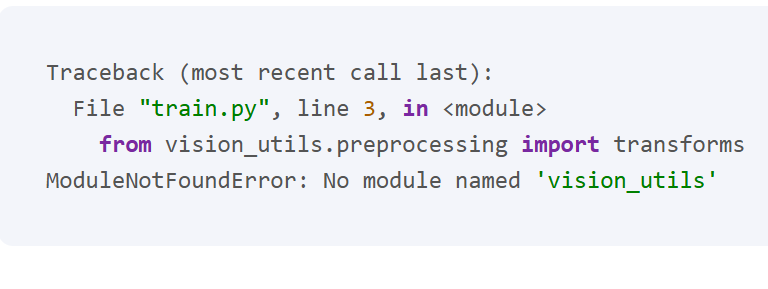
We encounter this error:
1
2
3
4
Traceback (most recent call last):
  File "train.py", line 3, in <module>
    from vision_utils.preprocessing import transforms
ModuleNotFoundError: No module named 'vision_utils'
Root Cause Analysis
Python’s Module Search Behavior:
- Python first looks in the directory containing the executed script
- Then searches through PYTHONPATH directories
- Finally checks installed packages
When running the script directly, Python cannot find the vision_utils package because the src directory is not in its search path.
Solution Implementation
Method 1: Using PYTHONPATH
1
2
export PYTHONPATH="/path/to/vision-ml-project/src:$PYTHONPATH"
python src/vision_utils/train.py --data-dir /path/to/dataset
Method 2: Module-style Execution
1
python -m vision_utils.train --data-dir /path/to/dataset
Method 3: Development Installation
1
2
# From project root
pip install -e .
Best Practices
- Project Structure
- Keep all source code under
src/ - Use meaningful package names
- Include
__init__.pyfiles
- Keep all source code under
- Import Style
1
2
3
4
5
# Preferred
from vision_utils.preprocessing import transforms

# Avoid
from ..preprocessing import transforms
- Development Setup
- Use virtual environments
- Install package in editable mode
- Document dependencies properly
Key Learnings
- Understanding Python’s import system is crucial
- The directory from which you run a script matters
- PYTHONPATH affects module resolution
- Package structure should be well-planned
- Project structure affects import behavior
- Proper
__init__.pyusage is essential - Absolute imports are more maintainable
- src layout helps avoid import conflicts
- Proper
- Development workflow optimization
- Editable installs (
pip install -e .) simplify development - Virtual environments prevent dependency conflicts
- Consistent import patterns improve code maintainability
- Editable installs (
Recommended Solution
For most projects, Method 3 (Development Installation) is the best approach:
1
2
3
4
5
6
7
8
9
# Create virtual environment
python -m venv venv
source venv/bin/activate  # On Windows: venv\Scripts\activate

# Install in editable mode
pip install -e .

# Now you can run from anywhere
python src/vision_utils/train.py
This method:
- Works from any directory
- Doesn’t require environment variable manipulation
- Matches production installation behavior
- Simplifies testing and development
This post is licensed under CC BY 4.0 by the author.